Learn & create
Lovable Launch Lab: No-Code App Builder Course (Interactive HTML + PDF)
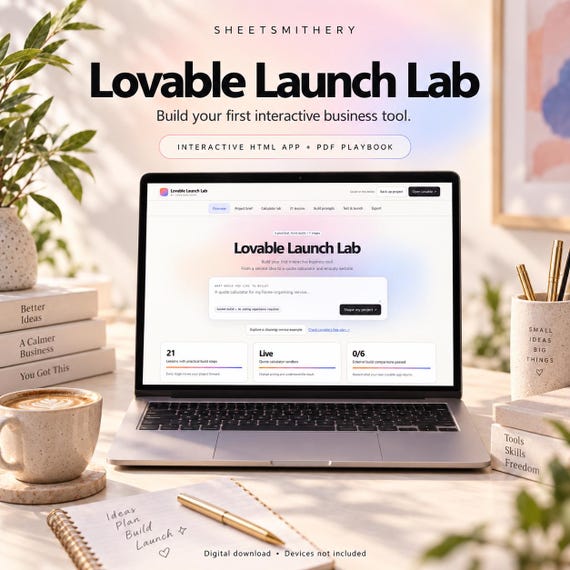
Build your first interactive business tool with a clear brief, a working pricing sandbox and practical lessons you can follow alongside your own Lovable account.
Build your first interactive business tool with a clear brief, a working pricing sandbox and practical lessons you can follow alongside your own Lovable account.
Lovable Launch Lab guides you through creating a service quote calculator and enquiry website. Define one useful customer journey, test the numbers locally, prepare your build prompt, refine the external app and record your launch checks.
INCLUDED
- Self-contained interactive HTML learning app
- 21 practical lessons across seven stages
- Business brief and fictional cleaning-service worked example
- Live quote calculator: base fee, unit rate, one-off add-on, discount and maximum quantity
- Seven tailored prompt types, from first build to publish review
- Six comparison cases for testing your external website
- Published URL and launch-review record
- Manual credit-budget tracker (not a live account balance)
- Project text and CSV exports, JSON backup and restore
- 17-page PDF playbook, Start Here instructions and licence
THE LEARNING PATH
Scope the customer journey. Model the pricing. Design readable controls. Build in Lovable. Set up an email-draft enquiry route. Test the results. Publish deliberately from your own account.
HOW IT WORKS
Download and extract the ZIP, then open the HTML file in a modern desktop/laptop browser. Complete your brief and try the calculator. Copy a tailored prompt into Lovable. Run the same test cases in the website you create and record its actual results. Save the live URL and export your project record.
IMPORTANT DETAILS
This is an independent digital learning app, not a Lovable subscription or a finished hosted website. It does not send prompts, spend credits, connect to your account or publish automatically. Lovable requires internet and your own account. Its free plan is a starting option; a complete free build is not guaranteed, and building/hosting/services can have separate costs.
The beginner enquiry route opens an email draft in the visitor's email client. It does not automatically send or store a lead. A backend-form lesson explains how to plan a later extension. Tests and launch checks are recorded by the learner; the course does not audit the external site.
Desktop/laptop browsers are recommended. Physical mobile devices have not been tested; locally downloaded HTML on iPhone/iPad is not guaranteed. The learning app works offline and saves locally. Keep JSON backups before clearing browser data, moving files or changing device.
No physical items, accounts, credits or hosting are supplied. No sales, leads, income or platform outcome is guaranteed. Pricing examples are fictional. For one buyer's personal/business learning use; course files may not be resold or redistributed. Independent SheetSmithery product, not affiliated with or endorsed by Lovable.
TAGS - COMMA SEPARATED
lovable tutorial, no code course, ai app builder, quote calculator, website builder, ai prompts, small business tools, learn lovable, digital course, app building guide, no code tools, business website, interactive course
FAQ
Do I need to know coding?
The course is designed for a first guided build, but you will need to inspect results, follow instructions and test your external app.
Does it include a working calculator?
Yes, the offline learning app contains a working calculator sandbox. The public business website is created separately in your own Lovable account.
Does it include a Lovable subscription?
No. Check current plans and allowances at https://lovable.dev/pricing .
Can this capture leads automatically?
The beginner route opens an email draft. Automatic form delivery/storage is an optional extension with separate setup and testing responsibilities.
Can I change the business and prices?
Yes. The brief and pricing rules feed the tailored prompts and expected test results. Changing them clears previous comparison results for retesting.
Is there a certificate?
No. The finish line is a recorded project with matching comparisons, reviewed customer journey and a live URL.
- lovable tutorial
- no code course
- ai app builder
- quote calculator
- website builder
- ai prompts
- small business tools
- learn lovable
- digital course
- app building guide
- no code tools
- business website
- interactive course
 Learn & create